
DocConverter
The universal converter that streamlines your daily work.
Convert your documents with speed, precision and full control…
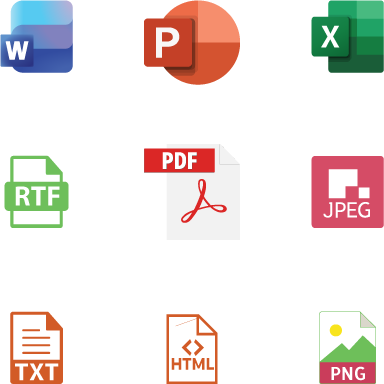
Convert PDF to Word, PowerPoint, JPG, PNG, TXT.
Convert Word, Excel, PowerPoint, RTF and TXT files to PDF, JPG, PNG, HTML and more.
Free and multilingual.

DocConverter
A professional document conversion solution built for business environments and performance-driven users.
DocConverter is a document conversion platform designed to meet the needs of corporate, administrative, and institutional environments.
It enables fast, secure, and reliable processing of large document volumes while ensuring operational stability and process transparency.
With its parallel processing engine and advanced queue management system, DocConverter maximizes performance without compromising output quality.
Built for business teams and technical environments, the solution provides:
-
High-performance batch conversion
-
Precise process control
-
Secure cancellation handling
-
Detailed operational tracking
-
Robust and stable architecture
DocConverter helps organizations increase productivity, reduce processing time, and secure document workflows.
Reliability you can depend on.
Features
Parallel Conversion Engine
- Batch conversion: Process thousands of documents in a single operation
- Multi-thread parallel processing: Optimized performance on powerful workstations
Smart Queue Management
- Advanced thread control, priority handling and automatic recovery after interruption
Advanced Excel options:
- Sheet-by-sheet or full workbook conversion
- Chart and comment inclusion
File integrity verification before conversion
Enhanced collaboration
- Multilingual interface for international teams
- Built-in preview: Validate before converting
- Detailed exportable reports for activity tracking
High Performance
- Optimized for professional workflows and large file volumes.
Advanced settings for total control
Output customization:
- PDF/A for long-term archiving
- Adjustable image compression to control file size
- Page orientation and adjustment (fit to page, landscape/portrait)
Security and compliance
- No data transmitted online: Everything processed locally
- Complete audit trail: Full traceability of all conversions
- Robust error handling: Maintains data integrity
Safe Cancellation
- Stop conversions instantly without risking corruption or instability.
Conversion History Tracking
- Review past operations and detailed statistics.
FAQ
General
Q: Is DocConverterPro really free?
A: Yes, completely! DocConverterPro is and will remain free for personal and professional use. No “light” version, no locked features, no file limits. We chose to make it accessible to everyone.
Q: How can it be free?
A: We love creating useful tools! If the app makes your life easier and you want to support us, you can make a donation (see below). But really, no obligation. Enjoy 😊
Q: What formats are supported?
A: DocConverterPro reads Word files (.doc, .docx), Excel (.xls, .xlsx), PowerPoint (.ppt, .pptx), as well as .rtf and .txt. You can convert them to PDF, JPG, PNG, HTML or TXT.
Q: Is there a file size or number limit?
A: None at all! You can convert 1 file or 1000, small files or documents hundreds of pages long. The app is built to handle it.
Installation and Usage
Q: How do I install DocConverterPro?
A: Go to the Download page, grab the installation file, run it and follow the instructions. Takes about 30 seconds. No tricks, no extra software installed.
Q: Does it work on Mac or Linux?
A: Currently, DocConverterPro is developed for Windows (10 and 11). A Mac version is being considered – we’ll keep you posted!
Q: Do I need an internet connection to use it?
A: No! Everything happens on your computer. Your files never leave your machine. It’s faster and safer.
Q: I’m not very technical, is it complicated?
A: Not at all! You drag and drop your files into the window, choose the output format, click “Convert”. That’s it. If you know how to use a mouse, you know how to use DocConverterPro.
Privacy and Security
Q: Are my documents sent anywhere?
A: Never. All processing happens locally on your computer. No files are sent over the internet. Perfect for sensitive documents.
Q: Does the app collect personal data?
A: None at all. We don’t even know you exist (unless you write to us). No usage statistics, no tracking, no user account.
Q: Can I use DocConverterPro in my company?
A: Yes, absolutely! Personal, professional, educational, non-profit use… all allowed. No license, no declaration needed.
Technical Issues
Q: A file won’t convert properly, what should I do?
A: Don’t panic! First, check if the file opens normally in Word/Excel/PowerPoint. If it does, contact us via the form or at support@irola.ch, attaching the file (or a screenshot). We’ll look into it quickly.
Q: The app crashes or is slow with my large files?
A: It’s optimized, but a 500-page file might take a few seconds. If it really crashes, check that you have enough memory and your Windows is up to date. Otherwise, write to us!
Q: How do I report a bug or suggest an improvement?
A: With great pleasure! Use the contact form or write to ideas@irola.ch. We read everything (really) and prioritize the most requested features.
Donations and Support
Q: How can I make a donation?
A: If the app is useful to you and you’d like to buy us a coffee (or several!), you can click the “Make a donation” button at the bottom of this page. It helps us keep the project alive and develop new features.
Q: Where does the donation money go?
A: Donations go toward:
Website hosting and update servers
Maintaining development tool licenses
Motivating us to spend our evenings coding instead of watching Netflix 😄
(And maybe one day, funding a Mac version!)
Q: What do donors receive in return?
A: Infinite gratitude, always-free updates, and the warm feeling of contributing to an open-hearted project. And if you’d like, we can add your name (or your company’s) to our “Kind Donors” page (anonymous if you prefer).
Q: Do donors get exclusive features?
A: No, everyone has access to the same features. We don’t lock anything behind a paywall. Donations are truly a free gesture, not a purchase.
Updates
Q: How do I know when a new version is available?
A: The app automatically checks for updates at startup (you can disable this in settings). Otherwise, follow us on social media or drop by the site now and then.
Q: Are updates free?
A: Always! All versions, present and future, are free. Once you’ve downloaded the app, you have access to all updates at no cost.
Q: I don’t like automatic updates, can I disable them?
A: Yes, in settings you can uncheck “Check for updates automatically”. You’ll be left alone, but remember to check back now and then to enjoy new features!
Miscellaneous
Q: Can I share the app with colleagues or friends?
A: Of course! The more the merrier. Send them the site link, they can download their own copy.
Q: Why “DocConverterPro”?
A: Because it converts documents (“Doc”), it’s a converter (“Converter”), and we’ve put our hearts into making it professional (“Pro”). Keep it simple!
Q: Are you looking for help with development?
A: If you’re a C# developer and the project interests you, contact us! We’re always open to contributions and helping hands.
One Last Thing?
Q: A question isn’t in the list?
A: Write to us! Really. We answer every message. Use the contact form or hello@docconverterpro.com. We’re here for you 😊